Azure App Service Plan start/stop now in public preview
Good news for those running Azure App Service environments that don’t need to stay on 24/7: you can now stop and start an App Service Plan in public preview.
As someone who has been using Azure App Service for years, I’m really happy to see this feature added!
With a single operation, you can manage all the apps and deployment slots hosted on the plan, without stopping and starting each app individually.
An opportunity to save costs
While the plan is stopped, compute billing is paused and resumes when the plan is started again. Note that other resources and services can continue to generate charges.
This is useful for development, test and demo environments with predictable schedules. Before stopping a plan, make sure that all hosted apps and deployment slots can tolerate the interruption.
How to get started
The preview supports Premium v4 (Pv4) and Premium memory-optimized v4 (Pmv4) plans only. Plans with App Service automatic scaling enabled are not supported; this is separate from Azure Monitor autoscale.
You can start or stop the plan from its Overview page in the Azure portal, or through Azure CLI using az rest (Read the official announcement for more details). The portal controls are rolling out gradually, so you can use the CLI if they are not yet available.
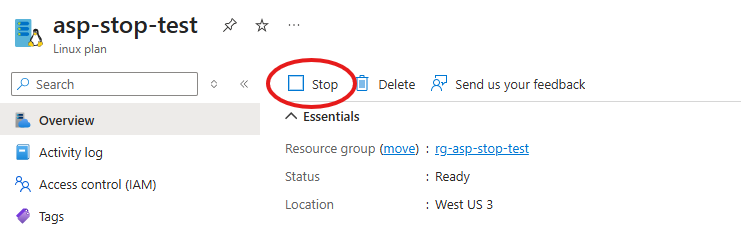
The operations are asynchronous: stopping the apps can take a few minutes, and they need time to become ready after the plan is started. To bring them back online, you need to start the plan, not an individual app. Start and stop operations are also subject to a five-minute throttle.
Learn more
For full details and Azure CLI examples, see the official announcement: App Service plan start/stop in public preview.
Leave a comment